
What You Only Learn by Building a Coding Agent From Scratch

Everybody is building agents right now. If you’re not, you’ve been thinking about it.
Why a coding agent specifically? Because it’s deceptively simple. The goal is concrete: read code, understand it, change it, verify the change. You know exactly what success looks like. But under that clarity hides a surprising amount of chaos: models that improvise around your guardrails, tools that fail in ways you never imagined, and prompts that work perfectly until you update the model by one version.
Simple goal, genuine difficulty. The best kind of learning.
Here’s what I found building one — hopefully enough to make you want to do the same.
What I actually built
I called it QuillCode. A basic coding agent, here’s what’s in it:
A terminal UI (ratatui): two OS threads, one for the UI, one for the agent
The agent loop: call an LLM, pick a tool, execute it, feed the result back
Eight tools: file search, AST-aware code reading, unified diff patching, shell execution, web search, and a TODO list the agent maintains itself
A permission layer: reads are auto-allowed, writes and shell commands require approval
Context compression, plan mode, and a behavior tree mode that forces the agent through a fixed sequence whether it wants to or not
Does it work? Yes. I ran it on real tasks — a major refactoring session where it worked through a 12-item TODO list in plan mode, a small LMS system I threw at it as a benchmark. It built something coherent and functional both times.
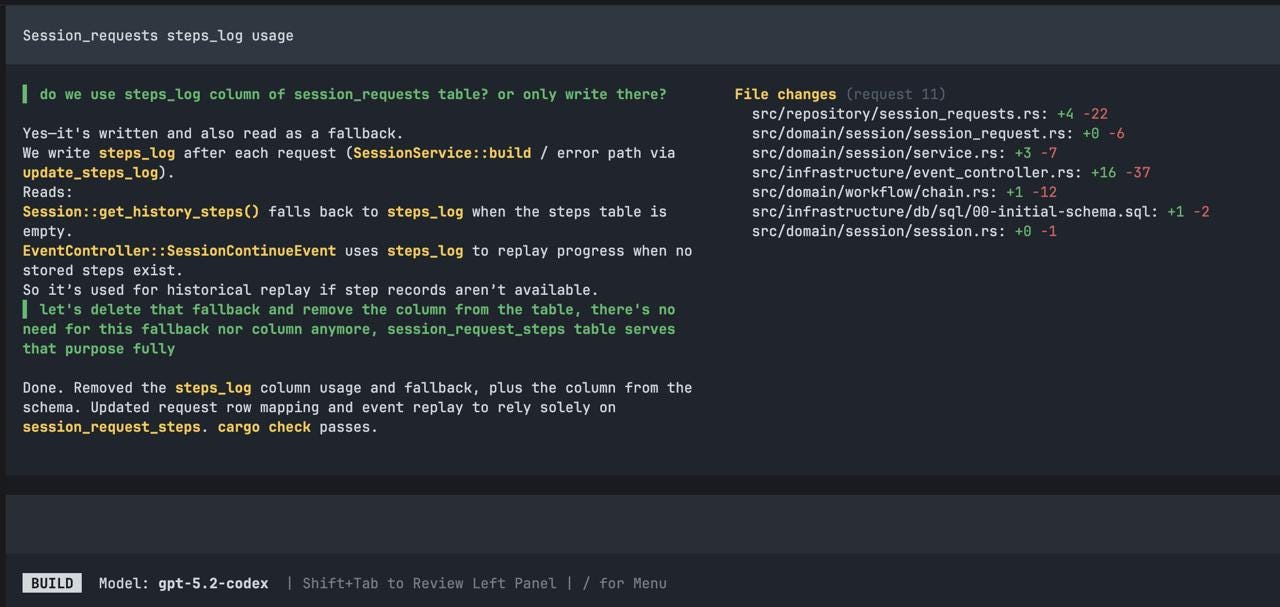
But let me be honest about what “works” means. It was noticeably less efficient than Claude Code. Required more supervision. Occasionally made decisions that made me wince. For anything serious, I’d reach for Claude Code without hesitation.
But efficiency wasn’t the goal. Understanding was. Here’s what that understanding looks like.
Tools are harder than they look
Eight tools. That’s all I made, and you rarely need more.
Past roughly ten, models start to degrade. They confuse overlapping tools, call them in the wrong order, occasionally invent tool names that don’t exist. Eight was already enough surface area for things to go wrong.
But the number of tools isn’t where the difficulty lives. It’s in how you design each one.
Take read_objects. A naive “read file” tool on a 4,000-line source file fills the context window instantly — the model dumps the whole thing and has no room left to think. So read_objects accepts line ranges and symbol names via AST parsing. The model is forced to ask for what it actually needs. Its description begins: ”Use this to read specific sections of a file. Do not call this on the entire file unless the file is small.”
That constraint isn’t enforced in code. It’s enforced in English. The day I removed that sentence because it felt redundant, call quality visibly dropped.
Or take patch_files. It uses unified diffs instead of full file replacement — smaller, auditable, harder to accidentally corrupt unrelated code. The trade-off: generating valid diffs is harder for the model than dumping entire files. You will see malformed diffs. Mismatched context, off-by-one line numbers, patches applied to the wrong function. Robustness here is the actual problem.
When a tool fails, the model improvises
This is the part nobody warns you about.
I watched it happen repeatedly in traces. patch_files fails — malformed diff, context mismatch, whatever — and the very next call is shell_exec running `sed -i` to do the same edit via shell. Which works. But it bypasses patch validation, permission tracking, the audit trail. The model wasn’t being malicious. It had a goal, the preferred path was blocked, and it found another way. Perfectly reasonable behavior that creates exactly the surface area you built the tool system to avoid.
More edge cases I didn’t see coming:
find_fileswith a glob so broad it matched hundreds of files, followed byread_objectson each one sequentially — the entire tool call budget gone in a single discovery phaseshell_execrunning `cat somefile.rs` when the dedicated read tool was right there, because the model got confused about which tool does whatThe agent looping on the same failing tool call three times with slightly different arguments, rather than stepping back to reconsider
Unicode and ANSI escape codes in tool results breaking the next LLM parse, triggering yet another
shell_execto clean up the mess
The fix is always the same: make your preferred tools robust enough that the escape hatch isn’t tempting. And specific error messages matter enormously. “Error: patch failed” — the model will try something else. “Hunk 2 did not apply: expected `fn process(` at line 47, found `fn process_item(` — try re-reading the file before patching” — the model will usually do exactly that, and succeed on the next attempt.
The permission problem
Then there’s permissions. A different kind of hard.
The principle is simple: auto-allow reads, prompt for writes and shell commands. The implementation is simple too. The calibration is genuinely difficult.
If every shell_exec — including `cargo check`, `npm test`, `git status` — requires explicit confirmation, users click “allow for this session” within ten minutes. At which point you’ve built an elaborate system that produces one outcome in practice: a single click at the start of each session.
The real challenge isn’t the permission check. It’s knowing when the system should infer trust from context versus when it should insist on asking. I haven’t gotten this right yet. It might be the hardest design problem in the whole project. (And frankly, I don’t see it done right in other agents either — unless you count YOLO as a solution.)
One agent, many dialects
Here’s what I assumed: once the OpenAI integration worked, adding another provider would be easy. New DTOs, new translator, wire it up. An hour, maybe.
The mechanical part was fine. The behavioral part broke everything.
Every model — every version of every model — responds to prompts differently, has different failure modes, different tolerances for how you phrase things.
You can’t write one system prompt, one set of tool descriptions, one set of instructions, and expect consistent behavior across models.
What reads as a clear directive to one model reads as a vague suggestion to another. What keeps one focused keeps another paralyzed.
I didn’t even have to switch providers to see this. Midway through development, OpenAI released gpt5.3-codex. I updated, expecting a smooth upgrade. Instead, the agent stopped acting. It would read the relevant files, produce a thoughtful analysis of what needed to change — and then do nothing. Just summarize. No patches, no edits, no tool calls that touched the code.
The same prompts that worked perfectly with gpt5.2-codex were now producing an agent that narrated rather than acted.
After digging into codex source code changes and rewriting the system prompt’s action framing, the tool call budget hints, and several tool descriptions, it started working again — but never reached peak performance. I eventually gave up.
That’s why my agent only supports OpenAI today. Not because adding another HTTP client is hard. Because every model is a new behavioral surface to tune, test, and maintain. It’s not an infrastructure problem. It’s a calibration problem that compounds with every provider you add.
Looking inside other agents
Here’s where it got really interesting.
I integrated OpenAI’s tracing platform into my agent — every run becomes a trace with child spans for each LLM call, each tool invocation, each permission check. Full payloads, token counts, latency. When something goes wrong (and with an LLM, you can almost never reproduce it deterministically), you open the dashboard and watch the execution step by step. It became the most useful debugging tool in the project.
Then I hooked the same tracing into Codex and OpenCode. Ran identical tasks. Compared traces side by side.
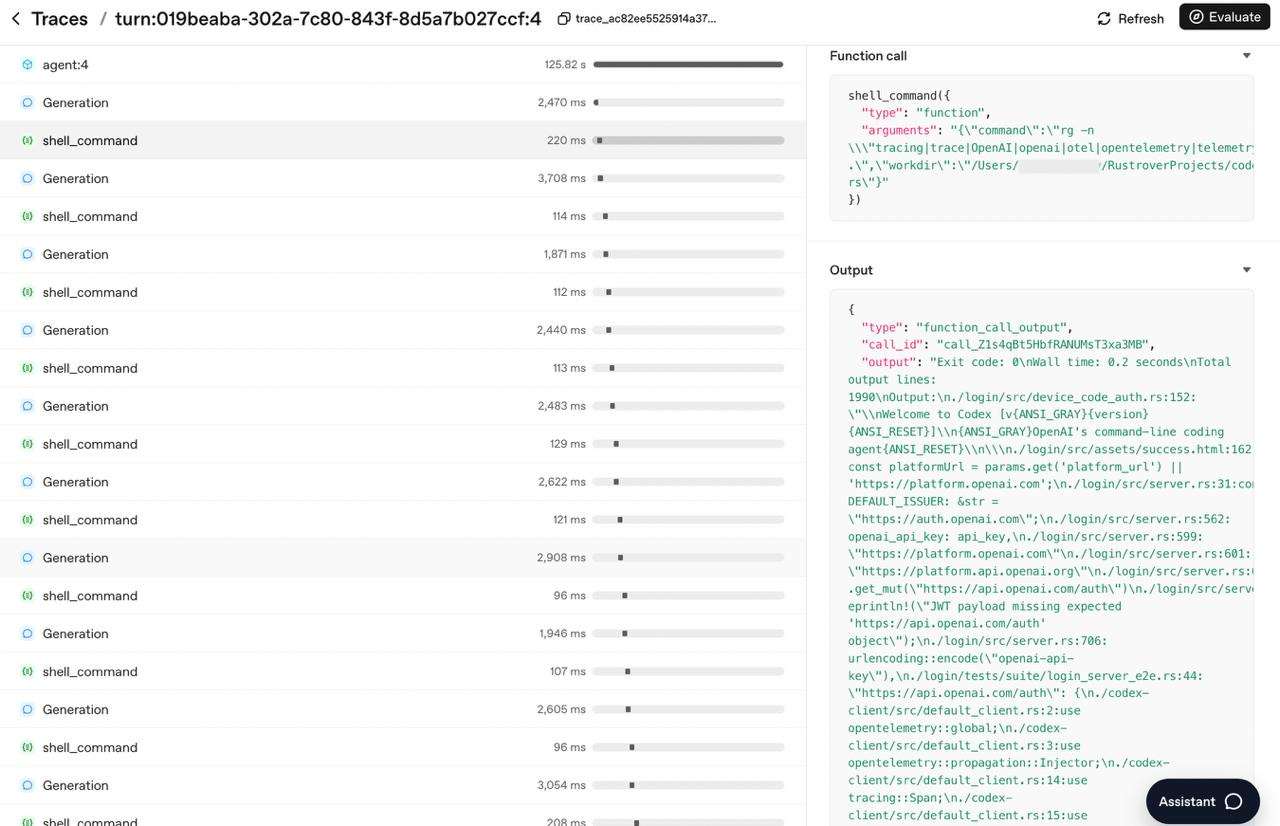
The bones are the same. The same loop. The same tool-call / observe / tool-call / observe cadence. The same pattern of reading before writing. Their agents are substantially more refined — better tool descriptions, more sophisticated context management, more graceful edge case handling — but the fundamental shape is immediately recognizable. No secret architecture. Just the loop, and months of careful iteration on everything around it.
That was clarifying in a way that reading about agents never was.
RAG? No.
The traces also settled a question I’d been going back and forth on: whether to try RAG.
In early 2024, the conventional wisdom was to build a vector store, embed your documents, retrieve relevant chunks before each generation. For some applications that’s reasonable. For a coding agent, it’s the wrong approach.
A coding agent doesn’t need probabilistic retrieval. It needs to know exactly what the code looks like.
RAG adds an indexing pipeline that has to stay in sync as files change, a retrieval step that might surface the wrong chunk due to semantic overlap, and an indirection layer between the agent and the thing it actually needs to see. The file is the ground truth. The agent has tools to read it. Just let it read.
The implementation grind (Claude Code + Opus 4.5)
Everything above is about the new, genuinely novel problems — the stuff nobody had to deal with before agents. This section is about the old-fashioned kind of hard: building the infrastructure that makes it all run.
There was no official OpenAI client library for the language I was using. No problem, I thought — I have Claude Code with Opus 4.5. API docs exist, open source examples in other languages exist. One good prompt should get me there.
It didn’t. LLM provider APIs are surprisingly non-trivial. SSE streaming that needs incremental parsing. Response shapes that change depending on whether the model returns text, a tool call, or a partial token stream. Error handling for both HTTP and API-level failures. I had to read the docs myself, step through failing requests in a debugger, and make real architectural decisions before Claude Code could build anything reliable.
That’s the pattern I kept hitting:
Claude Code was fast once I gave it structure, but couldn’t create the structure from scratch.
Before I’d made the key design decisions, every generated attempt had subtle bugs that only surfaced at runtime. After those decisions were made, it was remarkably effective.
My agent’s conversation model:
Session
 └─ Request (one per user prompt)
 └─ Steps[]
   ├─ UserPrompt
   ├─ AssistantMessage
   ├─ ToolCall { name, args }
   └─ ToolResult { output }
OpenAI’s API expects a flat message array with `role` fields and shape-shifting payloads. Mapping between my domain types and the wire format encodes decisions about what the conversation history means — which steps become context, how tool results thread back in, what gets dropped during compression. You can’t generate those decisions from an API spec. You have to make them.
src/infrastructure/openai/
├── client.rs # HTTP, auth, retry
├── dto/
│ ├── request.rs # ChatCompletionRequest and nested types
│ └── response.rs # ChatCompletionResponse, ToolCall, etc.
└── translator.rs # ChainStep → ChatMessage ← the interesting file
The payoff came later. Once that layer was solid, adding image input — paste a screenshot, have the agent reason about it via OpenAI’s vision API — was something I handed entirely to Claude Code. It worked on the first try.
(There was a section here where I whined about implementing the UI, but it was too embarrassing to publish.)
Why you should build one
My agent is miles from replacing Claude Code. Less reliable, more supervision, significant quality gap on hard tasks. Most of that gap isn’t engineering I could fix — it’s the fundamental difficulty of building well on top of something non-deterministic, opaque, and not specifically trained for this job.
But the journey was worth every frustrating evening. Debugging traces at midnight. Chasing a tool description that was one sentence too vague. Discovering that your tool works in 95% of cases, but that 5% failure rate is enough for the model to route everything through shell_exec instead.
The engineering surface is unusually varied — thread safety, AST parsing, prompt engineering, context management, session persistence, permission systems, prompt injection threat modeling — all in one codebase, all interacting. It stays interesting in a way most side projects don’t.
And beyond the engineering, you come out with intuition you can’t get any other way. When Claude Code makes a surprising decision, gets stuck in a loop, or asks an unexpected question, I can now see why. I can see the loop, the chain, the tool budget. That mental model shapes how I write prompts, how I structure tasks, and most usefully — how I decide what to hand to an AI versus what to own myself.
Build one. You’ll spend way more than a weekend on it. That’s the point.